
Create content for Dune
Copyright (c) 2026 Wasted Potential Studios. All rights reserved.
The creation tools let your mod define its own rows, buildable variants and assemblies of existing game meshes. Use Framework 1.6.9 with the Launcher’s UE4SS 1140 runtime. Your mod keeps its own permanent ID and declares the Launcher and Framework as separate dependencies. Players do not need the Modder Kit.
Framework and Modder Kit 1.6.14 provide public creation services for independent compatible mods. Steam 25789117 and Microsoft PC 2.0.11.0 have static native body, layout and admission verification. Loaded-game registration, typed field changes, composition, placement, progression, save/reload and automatic placeable reconstruction remain unverified for this release on both editions. Test your creation in a separate local world before using it in an established save.
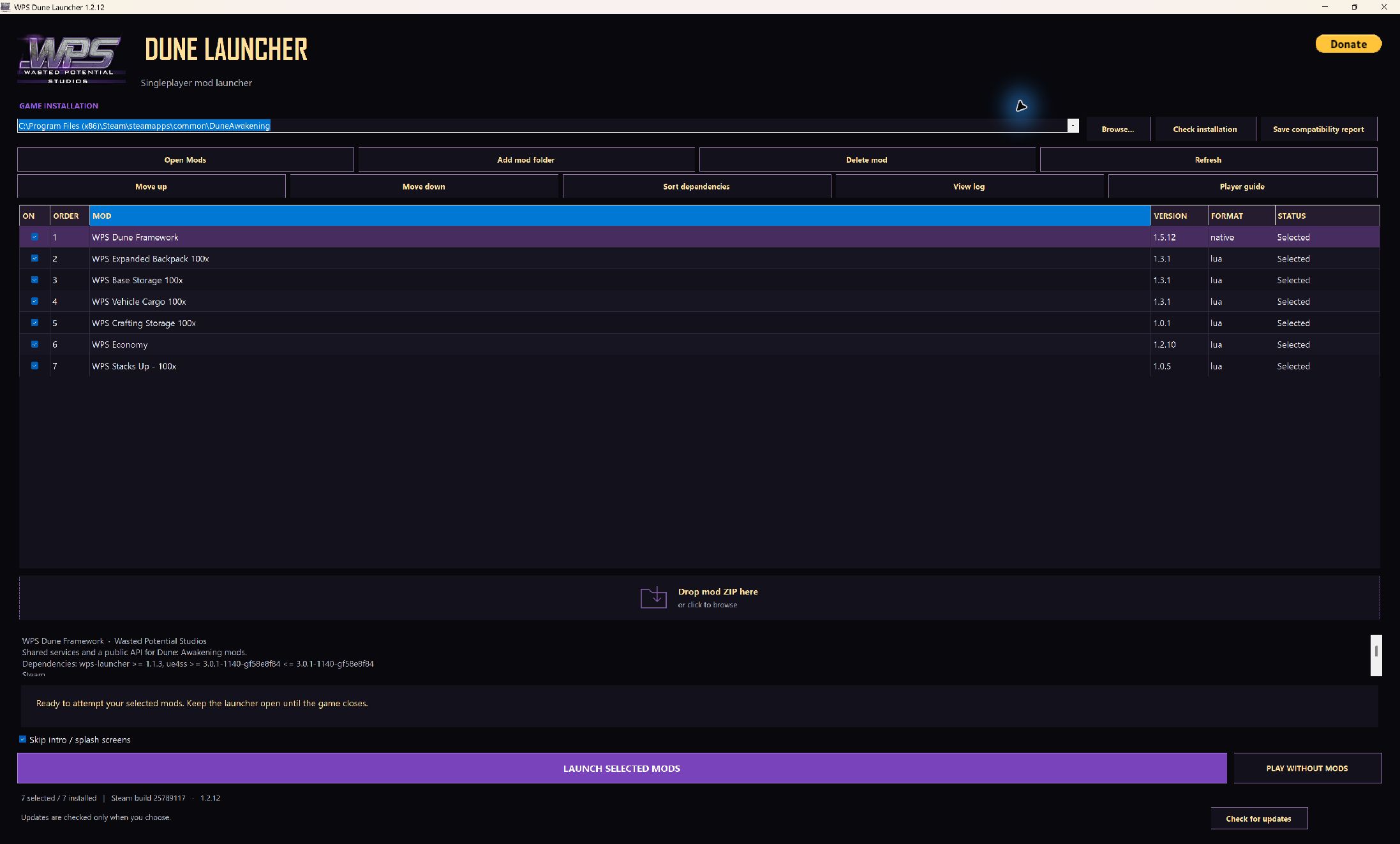
Launcher 1.2.13 shown with Framework 1.6.9. Choose the current Framework with Creation Tools when using creation features.
Choose the right lifetime
| Your content | Public API | Lifetime |
|---|---|---|
| A new buildable or item definition derived from an existing game row | app:creation() |
Definitions are discovered before loading a world and retained for the process lifetime once committed. |
| Meshes arranged around an existing actor, such as a display or visual attachment | app:compose(anchorResolver, {parts = {...}}) |
The Framework owns the spawned actors and removes them when stopped or when their anchor/world retires. |
A composed display is not automatically a buildable, inventory item or saved object.
A creation definition can attach visual props to a registered placeable. Those props
use the same local transform and material format as a transient composition.
Structure pieces currently support row-defined mesh changes. Their props list must
remain empty because individual structure-piece attachment and removal have not
been verified; use a separate composition only with a verified actor resolver.
The tools use assets that the running game can resolve. Custom mount roots are accepted when their assets are available. A mesh object path does not mount a content container or import a modelling file. Unreal cooking and container compatibility remain separate from these APIs.
Start a creation project
Choose creation in the Kit’s Create view, or use:
python kit/wps.py new C:\DuneMods\MyBuildable --id MyBuildable --name "My Buildable" --author "Your Studio" --description "A new buildable for Arrakis" --template creation --edition both
The project contains:
Mods/
  MyBuildable/
    mod.json
    Creation/
      defs.json
    Scripts/
      main.lua
Edit Creation/defs.json. The generated Lua script activates the installed document
through app:creation() and reports its status. There is no generated Lua copy of
the JSON to keep synchronized. The editor associates the file with the Kit’s
creation schema, and both Check project and Build release ZIP validate it.
The starter defines MyBuildable_Floor by copying Choam_Shelter_Floor_New and
changing its display name. It retains the existing mesh, Floor group, Tier0,
CHOAM faction and Floor socket setup. The existing ChoamShelterSet unlock and
Floors category give it a concrete starting point. The example keeps its
template's linked cost and placement data; it does not duplicate those tables.
The running game must resolve those source links. A new generated mod needs
its own placement, progression and save/reload checks on each supported edition.
The generated project declares both PC editions without claiming that your new mod has passed a game test. Keep only the editions you intend to test and support.
Give content a permanent identity
The document’s owner must exactly match the mod’s manifest ID and Framework App
ID. Each row ID starts with that owner followed by an underscore, such as
MyBuildable_Platform. Keep published IDs stable while saved worlds use them.
Rows are identified by their table and ID together. The same ID can appear in different linked tables; duplicate table/ID pairs, including case-only differences, are rejected. A buildable entry must reference an exact row ID declared in its own document. Source templates must already exist before the batch begins.
| Definition field | Purpose |
|---|---|
schemaVersion |
Use 1. |
owner |
Your permanent mod ID. |
rows |
One to 64 new row definitions. Each supplies id, table, source and optional fields. |
table |
The full DataTable object path containing the source template. |
source |
An existing row in that table. The new row starts as a copy of it. |
fields |
Only the reflected properties you want to change on your new row. Unspecified properties retain the template’s values. |
buildables |
Up to 64 build-menu integrations with row, kind, unlock, category and optional placeable props. |
kind |
structure or placeable; native validation checks the appropriate building table. |
unlock |
An existing buildable unlock-set row. This uses the game’s existing progression. |
category |
An existing build-menu category containing the inherited buildable group, or receiving a group cloned under this document's ownership. |
The Framework applies changes to the new rows. It does not turn a new row definition into permission to overwrite its source game row or another author’s content.
Menu categories list buildable groups, not individual building row IDs. The starter inherits the Floor group, which is already in the Floors category. Keep that relationship when copying a template. To define a separate group, clone its group row under your own ID and reference that group through the building row's reflected fields. The native checks distinguish an owned new group from a shared existing group and preserve shared membership.
Describe reflected values
Use JSON booleans, finite numbers and strings for scalar properties. Structs use nested objects; arrays and reflected sets use JSON arrays. Reflected maps use JSON objects when their keys are strings, names or single-name handles. The native implementation checks the actual key, element and value types against loaded metadata. An object reference uses an explicit asset tag:
{"asset": "/Engine/BasicShapes/Cube.Cube"}
That tag describes an object reference. It is not a substitute for a string or row name when the target property expects one. Property names, structure layouts, numeric types and referenced objects must match the actual loaded game metadata. The native implementation checks them before committing a definition.
The Kit checks shape, ownership and bounds without running your mod. It deliberately does not guess whether a property exists in the selected game build. A syntactically valid definition can therefore receive a runtime diagnostic for a missing template, an unexpected property type or an unavailable asset.
Build costs, recipe outputs and snap layouts can depend on other rows. Clone the needed linked definitions under your own IDs and point your new content at those IDs through the correct reflected fields. Copying a template preserves its original links until you change them. A changed visual mesh alone does not update its recipe, footprint, placement tests or snap rules.
Compose meshes and materials
The composition starter runs a brief visual example: a miniature Choam shelter
floor above the local character, with collision disabled. It removes its owned
actor after fifteen seconds and checks the cleanup result. Create it with the same
command as the creation starter, replacing --template creation with
--template composition and choosing a new project folder and Mod ID.
Each prop has a unique id and a full mesh object path. Transforms are local to
the anchor. Optional values have these defaults:
| Field | Default | Meaning |
|---|---|---|
location |
{ "x": 0, "y": 0, "z": 0 } |
Local position in centimeters. |
rotation |
{ "pitch": 0, "yaw": 0, "roll": 0 } |
Local rotation in degrees. |
scale |
{ "x": 1, "y": 1, "z": 1 } |
Signed scale on each axis. |
collision |
false |
Whether to request collision for the owned part. |
materials |
[] |
Material object paths in slot order; the first entry addresses slot zero. |
There can be up to 32 parts, with up to 16 material entries per part. Position and rotation components are bounded to ±10,000,000. Scale magnitudes must be between 0.0001 and 1,000; negative values are allowed. Colliding props still depend on the mesh’s collision data and the game’s checked collision interfaces.
Each App can own up to 16 simultaneous compositions and 512 spawned actors.
Exceeding that pool returns composition_limit. Actors awaiting failed cleanup
remain owned and count toward the pool until cleanup succeeds.
For transient composition, pass a function that resolves the same live anchor actor
in the current world. Keep the returned handle and inspect handle:status().
handle:stop() destroys the actors owned by the composition, not its anchor.
Do not save raw Unreal object handles or reuse them across a world transition.
Activate and inspect
The native Framework discovers installed Creation/defs.json documents before
world loading. Calling app:creation() activates the document belonging to the
calling App ID. Supplying app:creation(spec) additionally asserts that the supplied
definition matches the installed immutable document; it is not a late row-creation
or hot-reload route. Restart the game after editing an installed definition.
Definition registration and owned local menu activation are startup data operations; they do not require a player session. Spawned compositions and reconstructed placeable props require a local authoritative Singleplayer session. Definitions remain loaded when that session ends. This distinction does not establish multiplayer compatibility or make the definitions available to a remote server.
The JSON document uses [] for empty lists. An optional Lua spec can use {} in
declared list slots; those empty Lua tables normalize to lists before comparison
with the installed document.
The returned handle provides status() and stop(). Status describes the owner's
document as one batch; details.rows is its row count, not an array of individual
row results. Inspect the reported state and diagnostic message. Acceptance of a request does not prove
that every template and asset was available or that the game accepted the content.
An App keeps one creation handle. After stop(), another app:creation() call on
that same App returns the stopped handle; it does not reactivate the document.
Await the stopped acknowledgement before closing the context, and plan activation
as part of the mod's session lifecycle.
The Framework checks installed definitions before a world loads, including those
whose mod is disabled. Invalid definitions are rejected, and a startup registration
failure can leave the creation batch unavailable. World loading continues and other
Framework functions remain available. Read Mods/WPS_Framework/dlls/creation.log
for the affected definition and reason. Correct the definition, or restore its
working version, then restart to register it. Keep the content installed while a
saved world refers to its IDs; deleting those files is not a repair for a world
that uses them.
Stopping the handle hides its owned buildable rows, removes its owned group membership from the requested menu categories and stops its reconstructed props. Committed definitions remain for the process lifetime because saved objects may reference them. Installed disabled definitions also remain discoverable for those saved references. This retention is not an uninstall migration. Keep the definitions installed until affected worlds no longer contain or reference the content.
Check and test
From the Kit directory:
python wps.py creation C:\DuneMods\MyBuildable
python wps.py lint C:\DuneMods\MyBuildable --require-syntax
python wps.py package C:\DuneMods\MyBuildable --out C:\DuneMods\MyBuildable.zip --require-syntax
python wps.py api --key framework.creation
python wps.py api --key framework.compose
For a standalone JSON document, use creation path\defs.json --owner MyBuildable.
The checker rejects unknown document fields, invalid owner prefixes, conflicting
identities, unresolved local buildable references, duplicate reflected field names,
null values and out-of-range data. Normalized documents are limited to 512 KiB;
fields permit 12 nesting levels, 4,096 total nodes and 256 entries per object or
array. Strings are limited to 8,192 UTF-8 bytes. Finite field numbers are bounded
to ±1,000,000,000,000. The runtime repeats validation before inspecting game data.
Startup discovery also has shared limits of 256 owners and 4,096 rows across all
installed creation documents.
Use a separate release world for the first placement. Check the intended unlock, menu category, cost, snapping, footprint, appearance and dismantling behavior. Save, exit and reload with the same definitions installed, then test disabled activation while retaining the installed definition. Verify every edition you declare.
Package, schema and source checks do not establish gameplay acceptance or save recovery. Publish only the behaviors your own finished mod has demonstrated.