Game Studio / Mod Guides / Gameplay
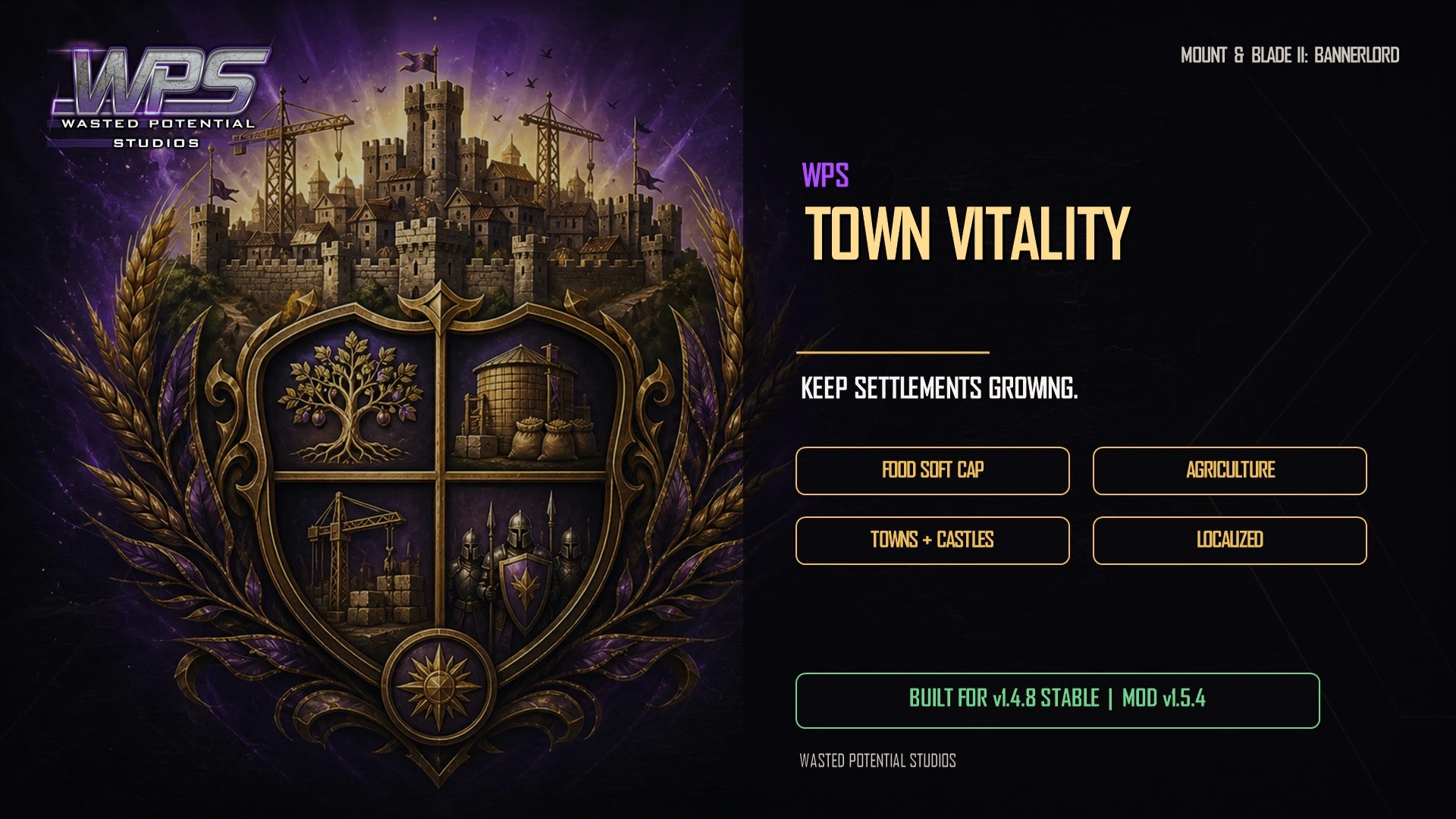
WPS Town Vitality
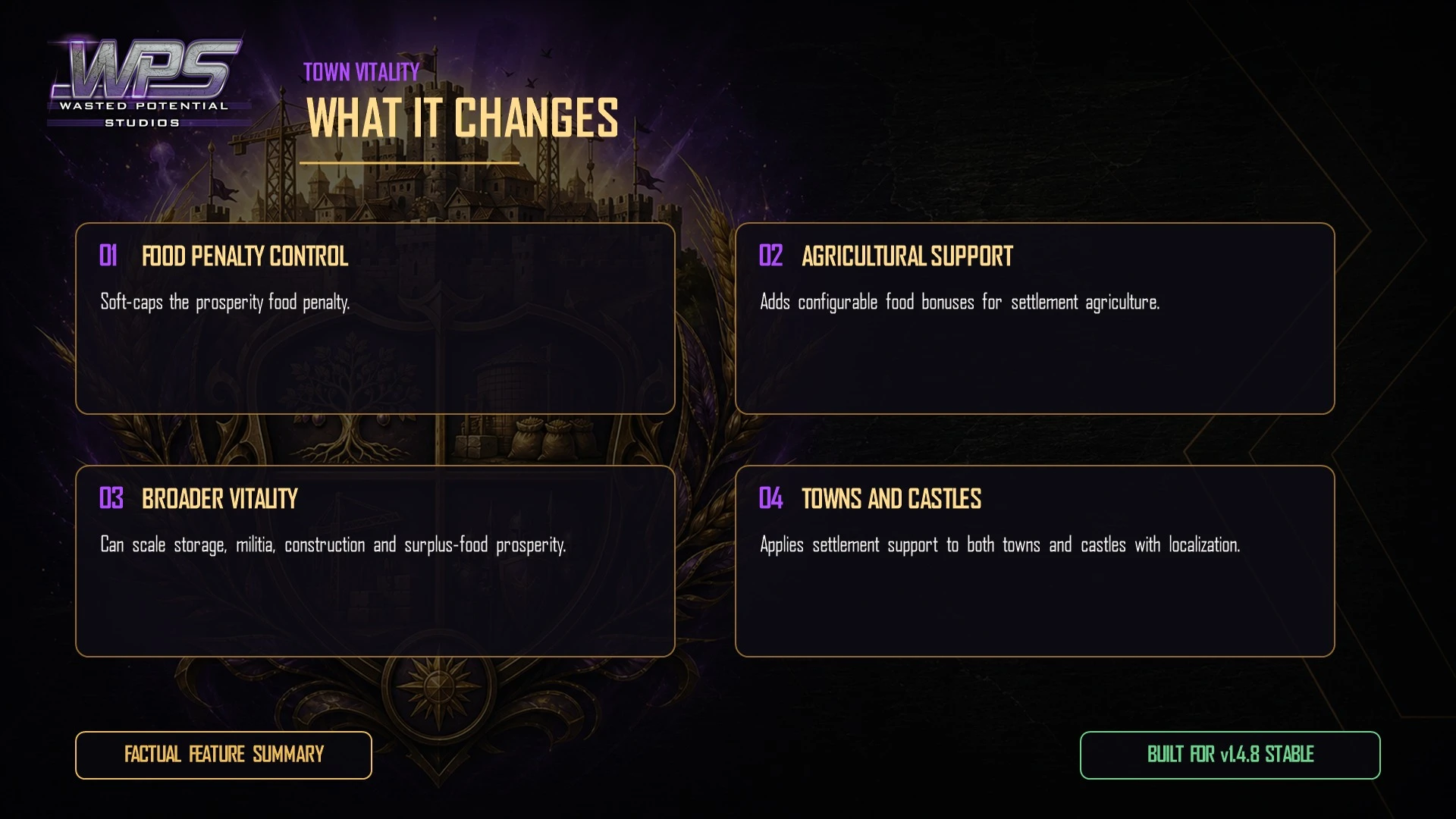
Adds configurable prosperity-scaled food, militia, storage, construction, and growth systems for settlements.
Player guide
Install, configure, and troubleshoot WPS Town Vitality.
Use the sections below for setup, requirements, settings, compatibility, removal, and troubleshooting.
Overview
WPS Town Vitality v1.5.1 supports Mount & Blade II: Bannerlord v1.3.x.
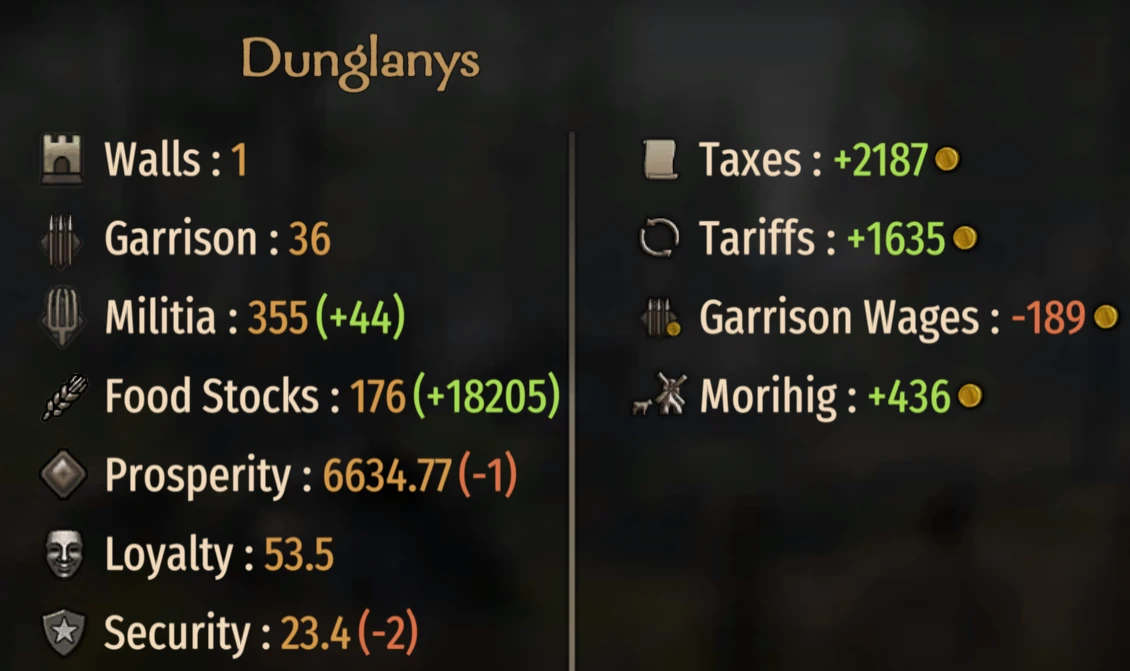
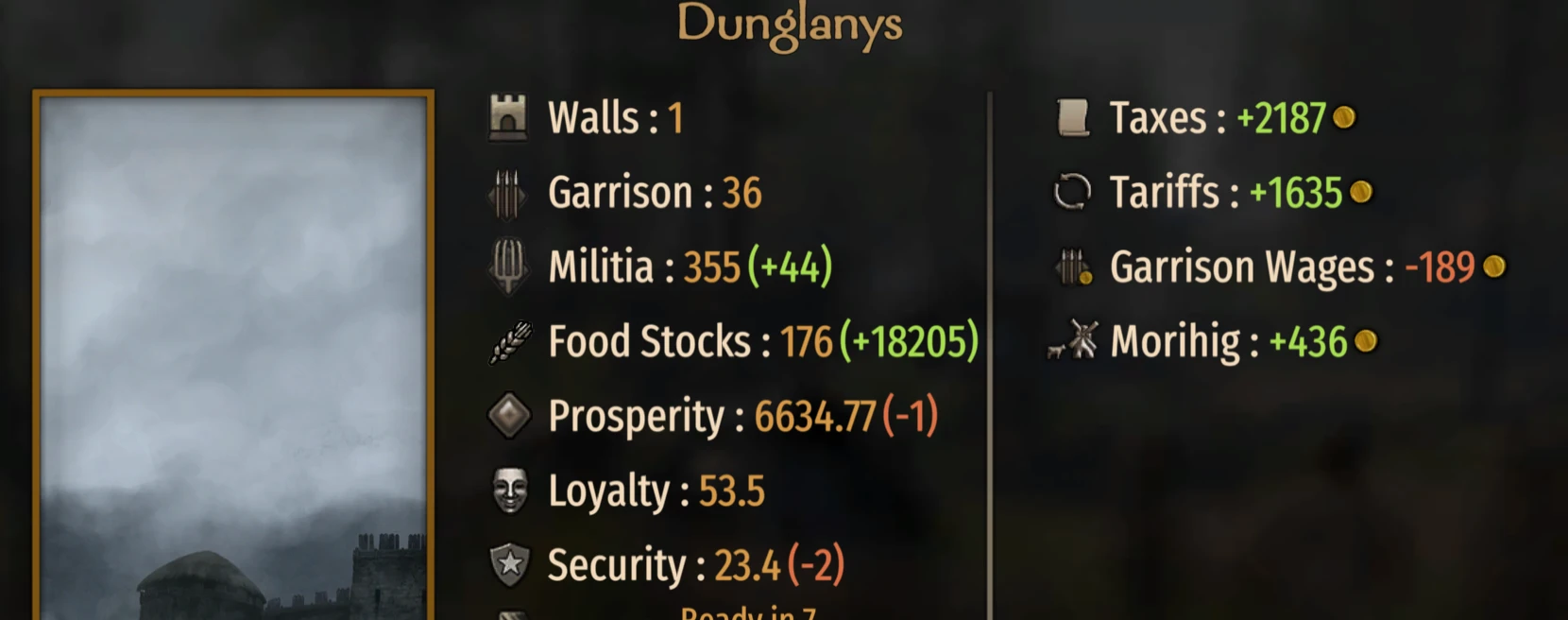
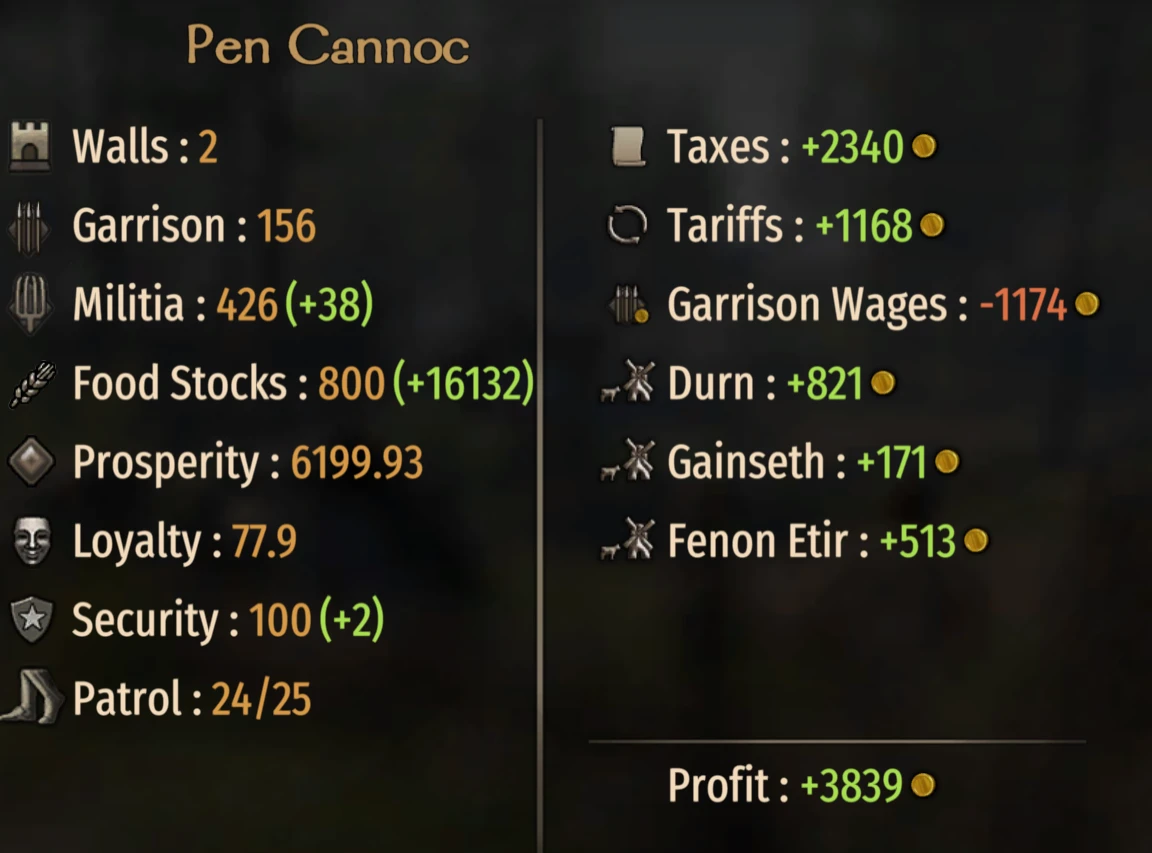
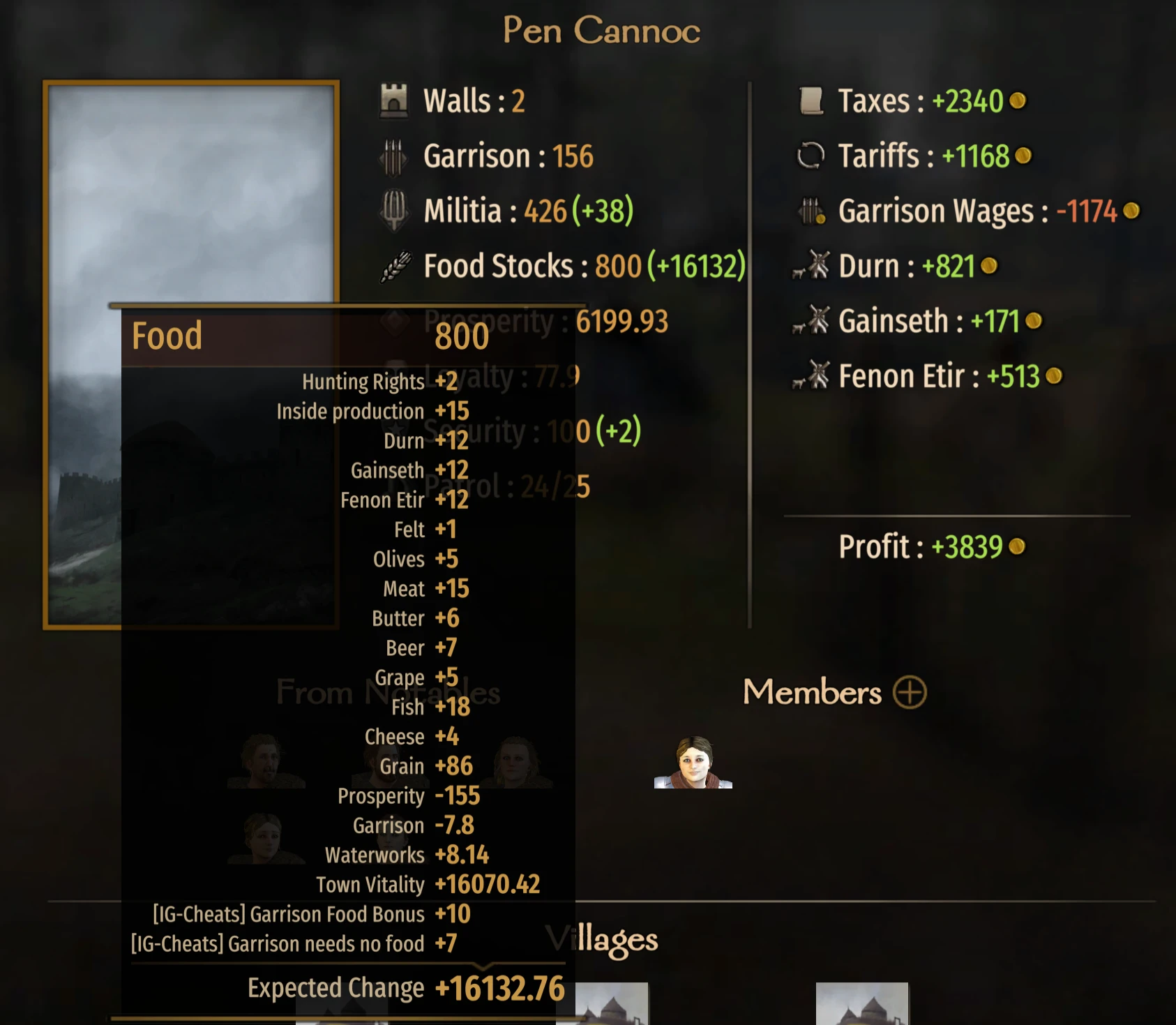
Bannerlord's prosperity food cost can make highly prosperous settlements increasingly difficult to sustain. WPS Town Vitality provides six independently configurable systems for prosperity penalty rebalancing, agricultural growth, militia growth, food storage, surplus-food prosperity, and construction.
Important default behavior: Prosperity Penalty Rebalance is enabled at a Soft-Cap Factor of 150 and applies to AI towns by default, so that system is not vanilla-parity on a fresh install. Agricultural Growth is enabled but its bonus factor defaults to 0.0; Militia Growth, Food Storage Scaling, Surplus Food Prosperity Control, and Construction Bonus are disabled or use vanilla-equivalent values by default.
Each system has an independent AI-scope toggle. Those toggles default to on, but a toggle has no gameplay effect while its feature is disabled or set to a vanilla-equivalent value.
1. Prosperity Penalty Rebalance
- Soft-caps the vanilla Prosperity/40 food-consumption curve so the penalty continues to grow but tapers at high prosperity.
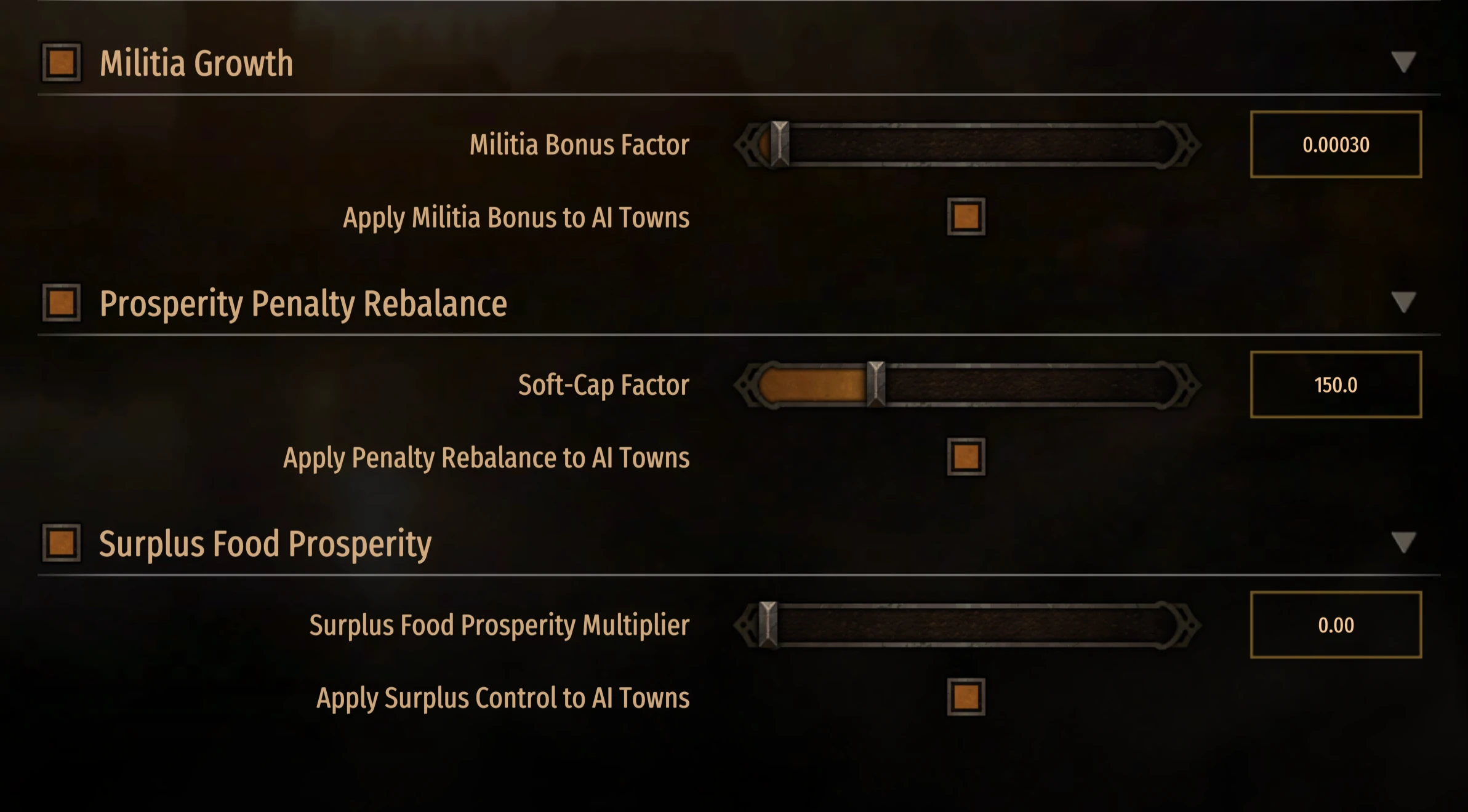
- Soft-Cap Factor range: 20–500. Lower values provide more relief. Default: 150.
- At 150, a 6,000-prosperity town consumes approximately 107 food per day instead of the vanilla 150, a difference of about 43 per day.
- Feature default: on. AI scope default: on.
2. Agricultural Growth Bonus
- Adds configurable food production per prosperity point above a threshold.
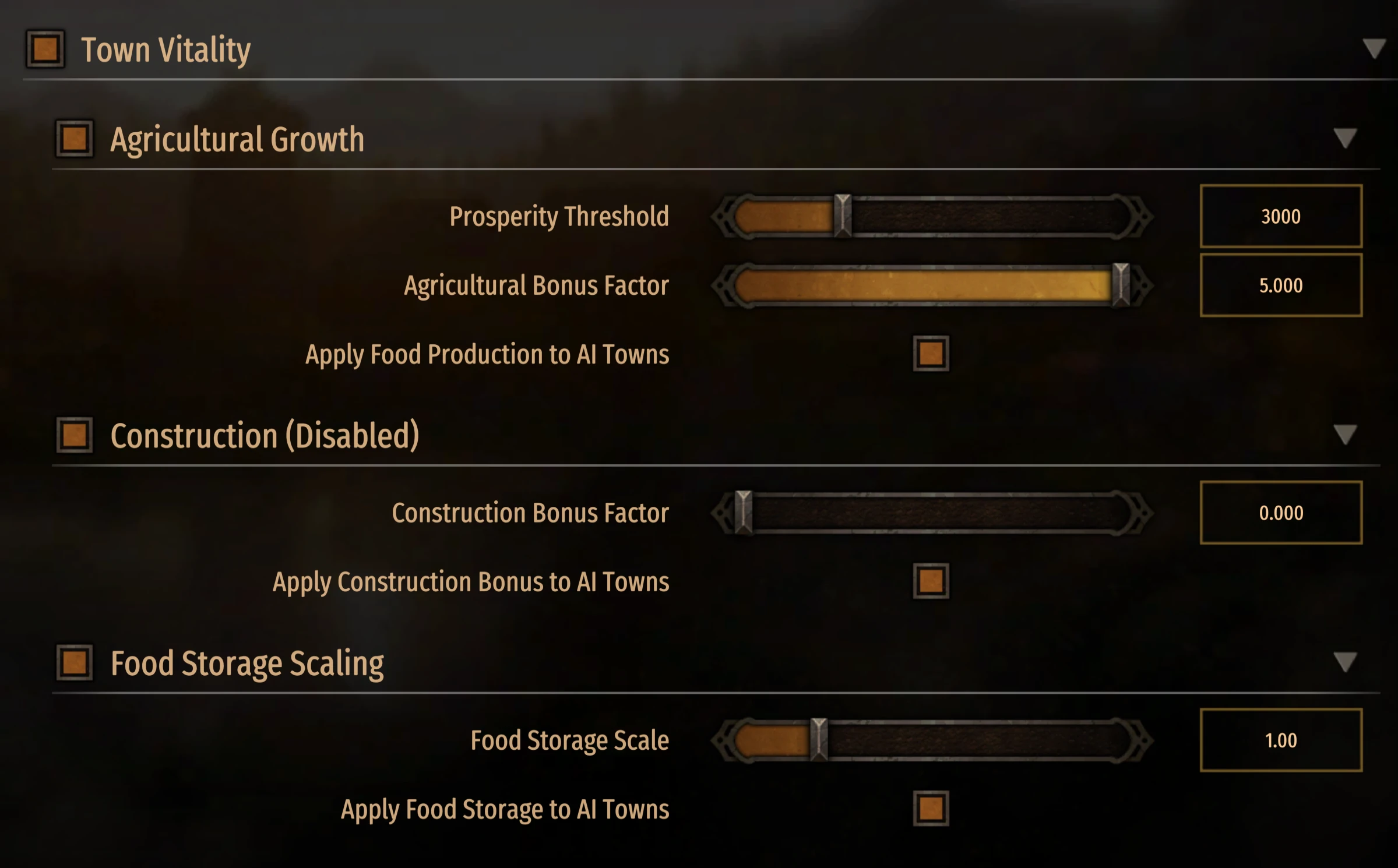
- Prosperity Threshold range: 500–10,000. Default: 3,000.
- Agricultural Bonus Factor range: 0.0–5.0. Default: 0.0, which adds no bonus.
- At 0.002, a 6,000-prosperity town receives (6,000 − 3,000) × 0.002 = 6 additional food per day.
- At 5.0, that same formula produces 15,000 additional food per day; use high values deliberately.
- Feature default: on with a zero factor. AI scope default: on.
3. Militia Growth Bonus
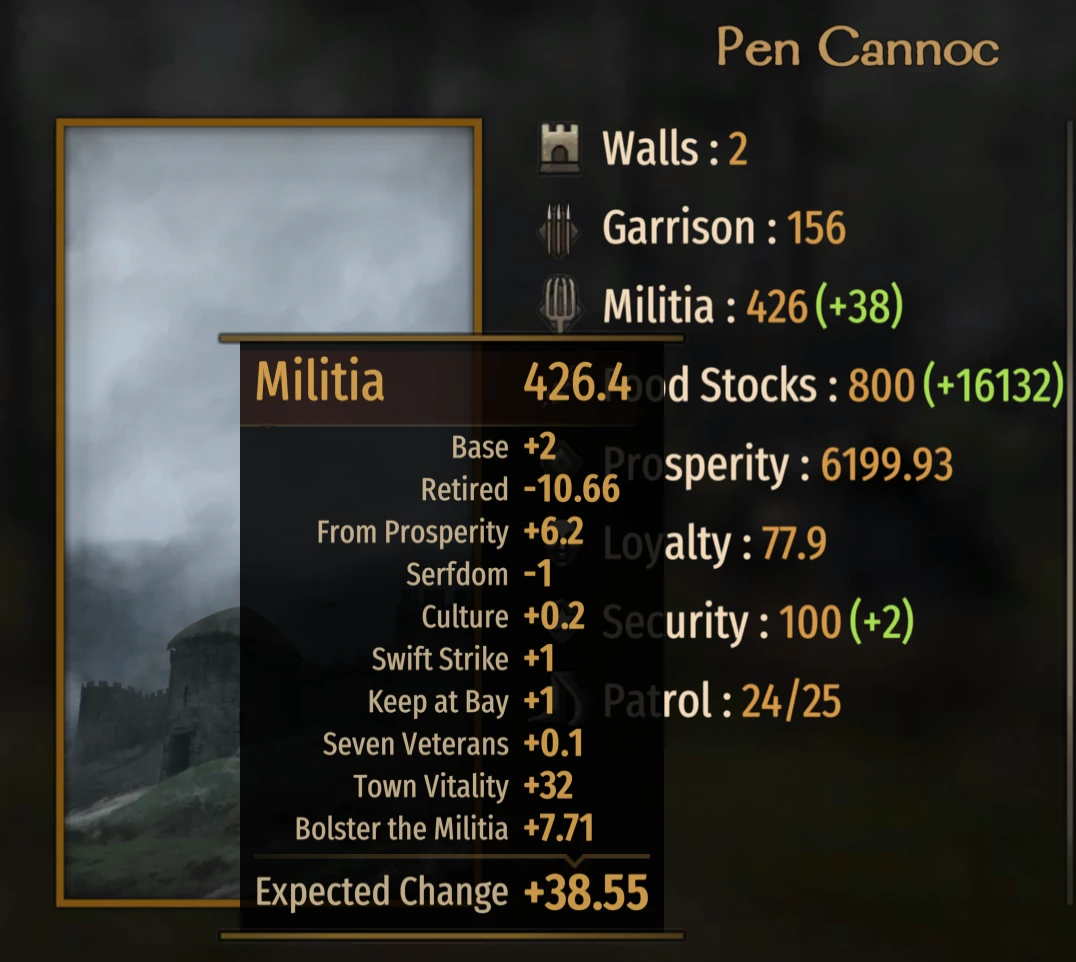
- Adds configurable daily militia growth per prosperity point above the shared threshold.
- Militia Bonus Factor range: 0.0–0.01. Default: 0.0.
- At 0.001, a 10,000-prosperity town receives (10,000 − 3,000) × 0.001 = 7 additional militia per day.
- At the 0.01 maximum, the same example produces 70 additional militia per day.
- Feature default: off. AI scope default: on.
4. Food Storage Scaling
- Scales the maximum food-storage cap with current prosperity.
- Vanilla food-storage caps are listed as 300 for towns and 450 for castles.
- Food Storage Scale range: 0.0–5.0. Default: 0.0.
- At 1.0, a 6,000-prosperity town adds 6,000 storage, producing a 6,300 cap from the listed 300 base.
- At 5.0, the same formula adds 30,000 storage; use high values deliberately.
- Feature default: off. AI scope default: on.
5. Surplus Food Prosperity Control
- Scales how much surplus food contributes to daily prosperity gain.
- Surplus Food Prosperity Multiplier range: 0.0–1.0. Default: 1.0, which retains the vanilla multiplier.
- At 0.5, the surplus contribution is half of vanilla. At 0.0, this source of prosperity gain is removed.
- Feature default: off. AI scope default: on.
6. Construction Bonus
- Adds configurable daily construction power per prosperity point above the shared threshold.
- Construction Bonus Factor range: 0.0–1.0. Default: 0.0.
- At 0.01, a 10,000-prosperity town adds 70 construction per day.
- At the 1.0 maximum, the same formula adds 7,000 construction per day; use high values deliberately.
- The bonus is suppressed when town loyalty is 25 or lower, where Bannerlord's vanilla calculation already zeroes construction.
- Feature default: off. AI scope default: on.
Supported Languages
- Version 1.5.1 includes localized in-game text for the following languages, with English as the fallback for an unlisted locale:
- English
- Português (Brazil)
- 简体中文 (Simplified Chinese)
- 繁體中文 (Traditional Chinese)
- Deutsch
- Français
- Italiano
- 日本語
- 한국어
- Polski
- Русский
- Español (Latin America)
- Türkçe
Requirements
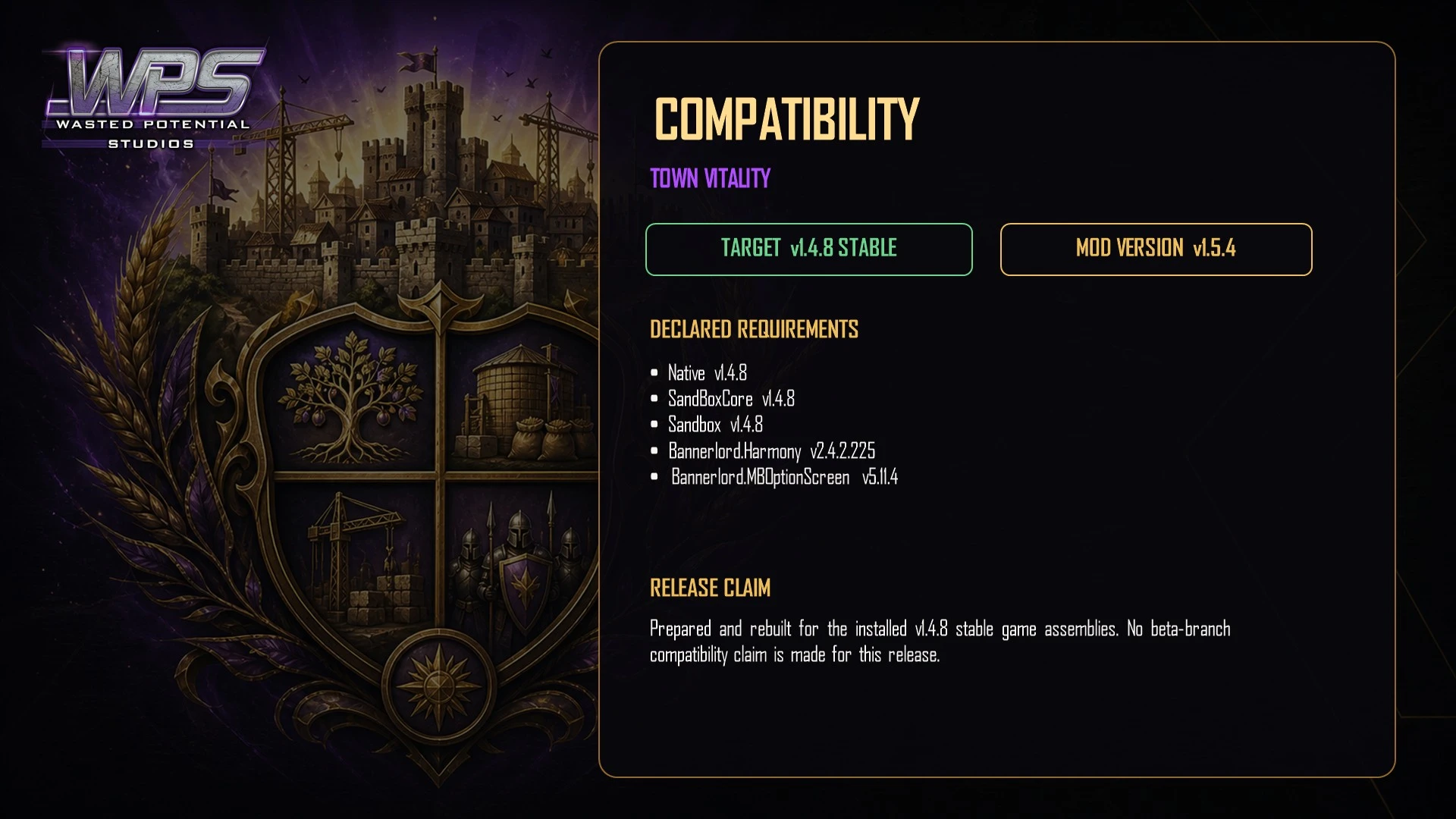
- Mount & Blade II: Bannerlord v1.3.x. Version 1.5.1 is specific to this game branch; check Nexus for a compatibility update before using a later branch.
- Bannerlord.Harmony is required.
- Bannerlord.MBOptionScreen (Mod Configuration Menu) is optional but required to change settings in game.
- Without MCM, the module uses its coded defaults: Penalty Rebalance is enabled at Soft-Cap Factor 150 and applies to AI towns; the other systems remain disabled or at vanilla-equivalent values as detailed above.
Installation
- Manual: install and enable Bannerlord.Harmony.
- Optionally install Bannerlord.MBOptionScreen if you want to change settings.
- Extract WPS_TownVitality directly into Mount & Blade II Bannerlord\Modules\.
- In the Bannerlord launcher, enable WPS Town Vitality after Bannerlord.Harmony and MCM, if MCM is installed.
- Start or continue a campaign and confirm the WPS Town Vitality loaded message appears in chat.
- Vortex: on Nexus Mods, select Mod Manager Download for the current file, deploy it, and verify Bannerlord.Harmony loads before WPS Town Vitality in the launcher.
Load Order
- Native
- SandBoxCore
- SandBox
- StoryMode, if used
- Bannerlord.Harmony
- Bannerlord.ButterLib, if used
- Bannerlord.UIExtenderEx, if used
- Bannerlord.MBOptionScreen, if used
- WPS_LoyaltyOverCulture, if used
- WPS_TownVitality
- Other gameplay mods, subject to their own load-order requirements
MCM Settings Reference
- All settings are under Options → [WPS] Town Vitality.
- Master: Enable Town Vitality — On/Off — Default: On.
- Penalty Rebalance: Enable — Default: On; Soft-Cap Factor — 20–500 — Default: 150; Apply to AI Towns — Default: On.
- Agricultural Growth: Enable — Default: On; Prosperity Threshold — 500–10,000 — Default: 3,000; Bonus Factor — 0.0–5.0 — Default: 0.0; Apply to AI Towns — Default: On.
- Militia Growth: Enable — Default: Off; Bonus Factor — 0.0–0.01 — Default: 0.0; Apply to AI Towns — Default: On.
- Food Storage Scaling: Enable — Default: Off; Scale — 0.0–5.0 — Default: 0.0; Apply to AI Towns — Default: On.
- Surplus Food Prosperity: Enable — Default: Off; Multiplier — 0.0–1.0 — Default: 1.0; Apply to AI Towns — Default: On.
- Construction: Enable — Default: Off; Bonus Factor — 0.0–1.0 — Default: 0.0; Apply to AI Towns — Default: On.
Compatibility
- WPS Town Vitality is designed to work with other WPS modules. WPS Loyalty Over Culture can raise cross-culture loyalty toward Bannerlord's high-loyalty construction tier, and that vanilla effect combines with Town Vitality's additive construction bonus.
- Mods that patch settlement food, militia, food-storage, prosperity, or construction calculations can change patch order or the combined result. Compare the in-game explained values when testing such combinations.
- The author documentation describes the systems as applying through shared vanilla settlement code paths for towns and castles.
Developer Notes
Technical note: five Harmony postfixes cover the six configurable systems; the food-stock calculation carries both the penalty rebalance and agricultural bonus.
Patched methods: DefaultSettlementFoodModel.CalculateTownFoodStocksChange(), DefaultSettlementMilitiaModel.CalculateMilitiaChange(), Town.FoodStocksUpperLimit, DefaultSettlementProsperityModel.CalculateProsperityChange(), and DefaultBuildingConstructionModel.CalculateDailyConstructionPower().
The postfixes adjust Bannerlord's calculated result rather than replacing base-game XML or DLL files. The mod wraps its calculation logic in exception handling, but no mod can guarantee that every third-party combination is crash-free.
Uninstallation
- Save the campaign in a separate backup slot and close Bannerlord.
- Disable WPS Town Vitality in the launcher, then remove WPS_TownVitality from Modules if it was installed manually.
- The module adds no custom save data; once it is absent, Bannerlord's vanilla settlement calculations resume on subsequent calculation ticks.
- Check settlements after loading because current food, militia, storage, construction, and prosperity values may reflect earlier modded ticks even though future calculations are vanilla.
Troubleshooting
If settings are missing, confirm Bannerlord.MBOptionScreen is enabled. Without MCM, coded defaults still run and cannot be changed in game.
If a fresh install does not match vanilla food consumption, check Penalty Rebalance first: it is enabled at Soft-Cap Factor 150 by default. Disable that feature for vanilla penalty behavior.
If a bonus appears absent, confirm both its enable toggle and non-zero factor or non-vanilla multiplier. AI scope toggles do not activate a feature by themselves.
If values look unexpectedly large, review the prosperity threshold and factor; several maximum settings intentionally produce very large changes.
Check Documents\Mount and Blade II Bannerlord\Configs\ModLogs\ for the relevant ModLogs entry. When reporting a reproducible issue on the mod's Nexus page, include Bannerlord, Harmony, and MCM versions, settlement prosperity, all Town Vitality settings, the explained value, and a complete mod list.
FAQ
Q: Can I use WPS Town Vitality on an existing campaign?
A: It adds no custom save data, but back up the campaign before changing gameplay mods.
Q: Does it affect AI settlements?
A: Penalty Rebalance applies to AI towns by default. All AI scope toggles default to on, but the other systems have no effect until their feature and non-vanilla value are active.
Q: Can I use only one system?
A: Yes. Configure each enable toggle and value independently. Remember that Penalty Rebalance starts enabled at 150; disable it if you want that system to remain vanilla.
Q: Do settings apply equally to the player and AI?
A: Each system has its own AI toggle. Leave it on for the same configured system to apply to eligible AI settlements, or turn it off to restrict that system to the player's settlements.
Q: Does it work with castles as well as towns?
A: The patched settlement code paths cover both towns and castles.
Q: What are good subtle starting values?
A: Agricultural Bonus Factor 0.002; Militia Bonus Factor 0.001; Construction Bonus Factor 0.005; Food Storage Scale 0.1; Surplus Prosperity Multiplier 0.5. Review Penalty Rebalance separately because its default 150 is already active.
Credits
- Created by Wasted Potential Studios.
- Harmony by Andreas Pardeike.
- Mod Configuration Menu / Bannerlord.MBOptionScreen by the BUTR Team.
- Thanks to TaleWorlds and the Bannerlord modding community.
Request support or a new idea
Having trouble with this release? Visit its Nexus page for downloads, bug reports, and player discussions. Have an idea for a new mod, feature, port, or compatibility update? Send WPS a gamer request.